Glassmorphism2020s Digital
FUSE — shell designer
Glassmorphism style inspired by "FUSE — shell designer". Flexbox, Backdrop Filter, CSS Filters.
fireworkshellstudioglassmorphismglasstranslucentgradientblur
Use case: Glassmorphism apps, Creative landing pages, Experimental projects
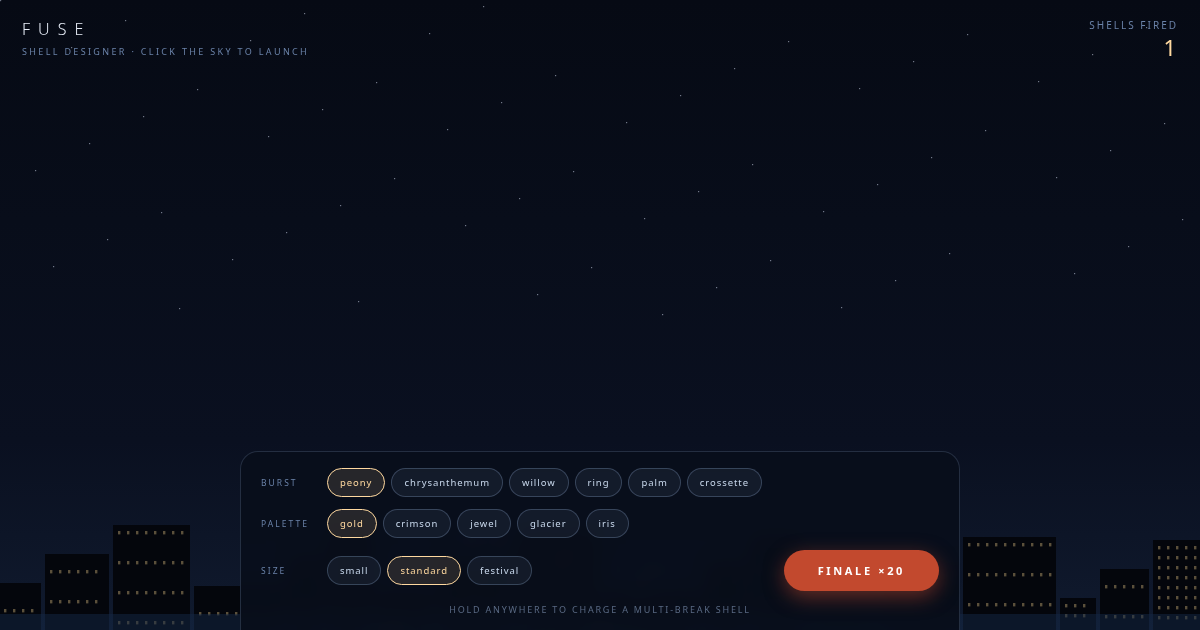
Historical Context
Contemporary style (2020s Digital) combining Flexbox and Backdrop Filter with Blur and Glass Effect.
When to Use
Use for glassmorphism projects that need Blur and Glass Effect effects.
Design Principles
- Leverage Flexbox for layout structure
- Apply Blur consistently across components
- Maintain visual consistency
DESIGN.md
---
version: "alpha"
name: "FUSE — shell designer"
description: "Glassmorphism style with Flexbox and Backdrop Filter."
colors:
  primary: "#060a14"
  secondary: "#0a1020"
  tertiary: "#0c1424"
typography:
  h1:
    fontFamily: system-ui
    fontSize: 2.5rem
    fontWeight: 700
  body-md:
    fontFamily: system-ui
    fontSize: 1rem
    fontWeight: 400
rounded:
  sm: 4px
  md: 8px
  lg: 16px
spacing:
  sm: 1rem
  md: 2rem
  lg: 4rem
---

## Overview

FUSE — shell designer - Glassmorphism style from the 2020s Digital era.

- Density: 5/10
- Variance: 6/10
- Motion: 4/10 — Subtle

- **Style:** Glassmorphism
- **Keywords:** firework, shell, studio
- **Era:** 2020s Digital
- **Light/Dark:** ✓ Light / ○ Dark

## Colors

- **#060a14**
- **#0a1020**
- **#0c1424**
- **#d8e2f0**
- **#e8eef8**

## Typography

- **system-ui**

## Layout

- **Features:** Flexbox, Backdrop Filter, CSS Filters, Transitions, Transforms, Gradients, Box Shadows, Border Radius

## Effects

- Blur
- Glass Effect
- Gradients
- Hover Effects

## Use Case

Glassmorphism apps, Landing pages, Experimental projects.
Technical Specs
CSS
Flexbox, Backdrop Filter, CSS Filters, Transitions, Transforms, Gradients, Box Shadows, Border Radius
Variables
--primary: #000
Checklist
☐ Flexbox ☐ Backdrop Filter ☐ CSS Filters ☐ Responsive ☐ Acessibilidade
Colors
Primary
#060a14
#0a1020
#0c1424
Secondary
#d8e2f0
#e8eef8
#6a82a8
Effects
Blur, Glass Effect, Gradients, Hover Effects
Light/Dark
✓ Light / ○ Dark
AI Prompt
Act as a Senior Frontend Engineer and Expert UI Designer.
Your task is to code a complete Landing Page on the first attempt.
- Landing Page Theme: <INSERT THEME>
- Sections to add: <INSERT SECTIONS>

Generate the final code immediately following these definitions:

## Style

- **Name:** FUSE — shell designer
- **Type:** Glassmorphism
- **Keywords:** firework, shell, studio, glassmorphism, glass, translucent, gradient, blur
- **Era:** 2020s Digital
- **Light/Dark:** ✓ Light / ○ Dark

## Color Palette

- **Primary:** #060a14, #0a1020, #0c1424
- **Secondary:** #d8e2f0, #e8eef8, #6a82a8

## Visual Effects

Blur, Glass Effect, Gradients, Hover Effects

## AI Visual Direction

Design a glassmorphism landing page inspired by "FUSE — shell designer". Use: Flexbox, Backdrop Filter, CSS Filters, Transitions. Colors: #060a14, #0a1020, #0c1424. Effects: Blur, Glass Effect, Gradients.

## CSS Technical

```css
Flexbox, Backdrop Filter, CSS Filters, Transitions, Transforms, Gradients, Box Shadows, Border Radius
```

## Design System Variables

```css
--primary: #000
```

## Implementation Checklist

- ☐ Flexbox ☐ Backdrop Filter ☐ CSS Filters ☐ Responsive ☐ Acessibilidade

## Execution Rules

1. Strictly follow the defined visual style.
2. Use high-quality inline SVG icons (Heroicons or Lucide style) — NEVER use emojis as icons.
3. Add `cursor-pointer` and smooth `hover` states (transition-all) on all interactive elements.
4. Required Page Structure:
   - Navbar (Logo + Links + CTA)
   - Hero Section (Impactful Headline + Subtitle + 2 buttons + 3D/Abstract visual element via CSS)
   - Features (3 cards with icons)
   - Testimonials (3 cards)
   - Pricing (3 tiers, highlight the middle one)
   - Final CTA
   - Full Footer with social links, privacy policy, terms of use, contact and SEO links.
5. All text content must be in English.
6. The visual must be CLEARLY distinct — do not create a "default Bootstrap" design. Force the use of the provided design system variables.
7. Use `<style>` tags in the head for custom classes (especially for complex backdrop-filter effects and animations) that Tailwind CDN doesn't cover.
8. Full Responsiveness: Layout must adapt perfectly to Mobile, Tablet and Desktop (vertical stack on mobile).
9. Include basic SEO, Viewport and Open Graph meta tags in `<head>`.
10. Footer must contain: Copyright 2026, Secondary navigation links and Social media icons.
11. Make the creative decisions needed to deliver the complete, functional result now.
Last synced: 8/15/2026