Interactive/Animated2020s Contemporary
SUSPENSION — a study of beautiful waiting
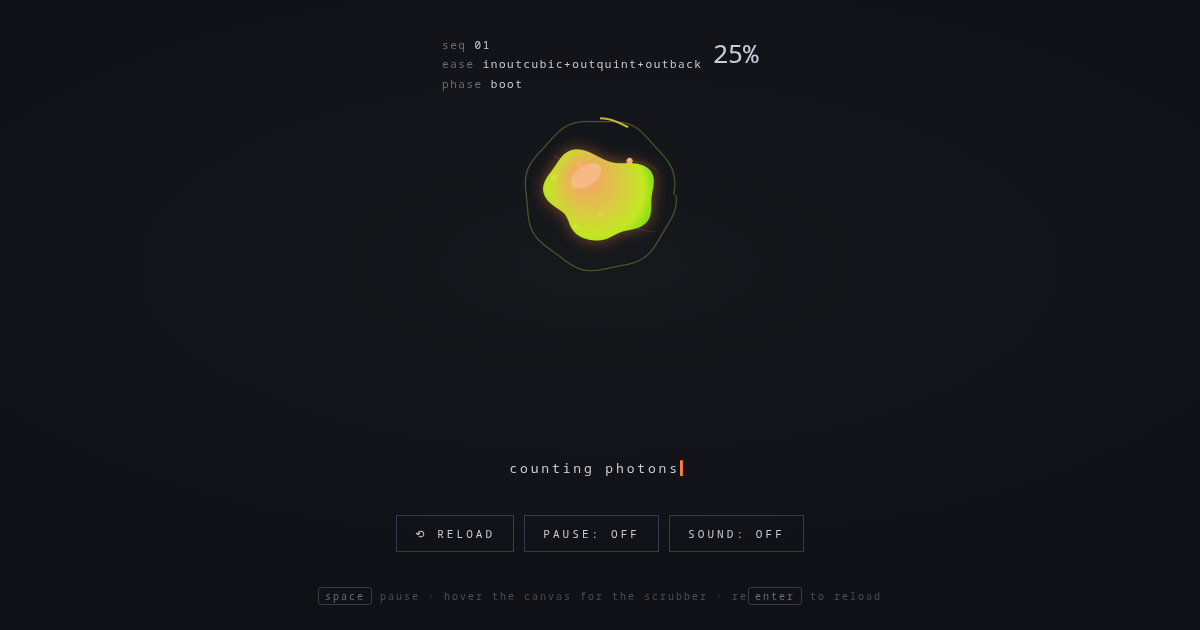
Interactive/Animated style inspired by "SUSPENSION — a study of beautiful waiting". Flexbox, Keyframe Animations, Transitions. With animations.
fluidspinnerloaderinteractiveanimatedgradient
Use case: Interactive/Animated apps, Creative landing pages, Experimental projects
Historical Context
Contemporary style (2020s Contemporary) combining Flexbox and Keyframe Animations with Gradients and Hover Effects.
When to Use
Use for interactive/animated projects that need Gradients and Hover Effects effects.
Design Principles
- Leverage Flexbox for layout structure
- Apply Gradients consistently across components
- Maintain visual consistency
DESIGN.md
---
version: "alpha"
name: "SUSPENSION — a study of beautiful waiting"
description: "Interactive/Animated style with Flexbox and Keyframe Animations."
colors:
  primary: "#17181c"
  secondary: "#101116"
  tertiary: "#ff7a3d"
typography:
  h1:
    fontFamily: ui-monospace
    fontSize: 2.5rem
    fontWeight: 700
  body-md:
    fontFamily: ui-monospace
    fontSize: 1rem
    fontWeight: 400
rounded:
  sm: 4px
  md: 8px
  lg: 16px
spacing:
  sm: 1rem
  md: 2rem
  lg: 4rem
---

## Overview

SUSPENSION — a study of beautiful waiting - Interactive/Animated style from the 2020s Contemporary era.

- Density: 5/10
- Variance: 6/10
- Motion: 8/10 — Animated

- **Style:** Interactive/Animated
- **Keywords:** fluid, spinner, loader
- **Era:** 2020s Contemporary
- **Light/Dark:** ✓ Light / ○ Dark

## Colors

- **#17181c**
- **#101116**
- **#ff7a3d**
- **#ffb43d**
- **#c9cbd4**

## Typography

- **ui-monospace**
- **inherit**

## Layout

- **Features:** Flexbox, Keyframe Animations, Transitions, Transforms, Gradients, Border Radius

## Effects

- Gradients
- Hover Effects

## Use Case

Interactive/Animated apps, Landing pages, Experimental projects.
Technical Specs
CSS
Flexbox, Keyframe Animations, Transitions, Transforms, Gradients, Border Radius
Variables
--bg: #17181c, --bg2: #101116, --accent: #ff7a3d, --accent2: #ffb43d, --text: #c9cbd4
Checklist
☐ Flexbox ☐ Keyframe Animations ☐ Transitions ☐ Responsive ☐ Acessibilidade
Colors
Primary
#17181c
#101116
#ff7a3d
Secondary
#ffb43d
#c9cbd4
#6a6d78
Effects
Gradients, Hover Effects
Light/Dark
✓ Light / ○ Dark
AI Prompt
Act as a Senior Frontend Engineer and Expert UI Designer.
Your task is to code a complete Landing Page on the first attempt.
- Landing Page Theme: <INSERT THEME>
- Sections to add: <INSERT SECTIONS>

Generate the final code immediately following these definitions:

## Style

- **Name:** SUSPENSION — a study of beautiful waiting
- **Type:** Interactive/Animated
- **Keywords:** fluid, spinner, loader, interactive, animated, gradient
- **Era:** 2020s Contemporary
- **Light/Dark:** ✓ Light / ○ Dark

## Color Palette

- **Primary:** #17181c, #101116, #ff7a3d
- **Secondary:** #ffb43d, #c9cbd4, #6a6d78

## Visual Effects

Gradients, Hover Effects

## AI Visual Direction

Design a interactive/animated landing page inspired by "SUSPENSION — a study of beautiful waiting". Use: Flexbox, Keyframe Animations, Transitions, Transforms. Colors: #17181c, #101116, #ff7a3d. Effects: Gradients, Hover Effects.

## CSS Technical

```css
Flexbox, Keyframe Animations, Transitions, Transforms, Gradients, Border Radius
```

## Design System Variables

```css
--bg: #17181c, --bg2: #101116, --accent: #ff7a3d, --accent2: #ffb43d, --text: #c9cbd4
```

## Implementation Checklist

- ☐ Flexbox ☐ Keyframe Animations ☐ Transitions ☐ Responsive ☐ Acessibilidade

## Execution Rules

1. Strictly follow the defined visual style.
2. Use high-quality inline SVG icons (Heroicons or Lucide style) — NEVER use emojis as icons.
3. Add `cursor-pointer` and smooth `hover` states (transition-all) on all interactive elements.
4. Required Page Structure:
   - Navbar (Logo + Links + CTA)
   - Hero Section (Impactful Headline + Subtitle + 2 buttons + 3D/Abstract visual element via CSS)
   - Features (3 cards with icons)
   - Testimonials (3 cards)
   - Pricing (3 tiers, highlight the middle one)
   - Final CTA
   - Full Footer with social links, privacy policy, terms of use, contact and SEO links.
5. All text content must be in English.
6. The visual must be CLEARLY distinct — do not create a "default Bootstrap" design. Force the use of the provided design system variables.
7. Use `<style>` tags in the head for custom classes (especially for complex backdrop-filter effects and animations) that Tailwind CDN doesn't cover.
8. Full Responsiveness: Layout must adapt perfectly to Mobile, Tablet and Desktop (vertical stack on mobile).
9. Include basic SEO, Viewport and Open Graph meta tags in `<head>`.
10. Footer must contain: Copyright 2026, Secondary navigation links and Social media icons.
11. Make the creative decisions needed to deliver the complete, functional result now.
Last synced: 8/15/2026